To get started, go to “My Profile” by clicking on your nickname at the top right and selecting “My Profile”
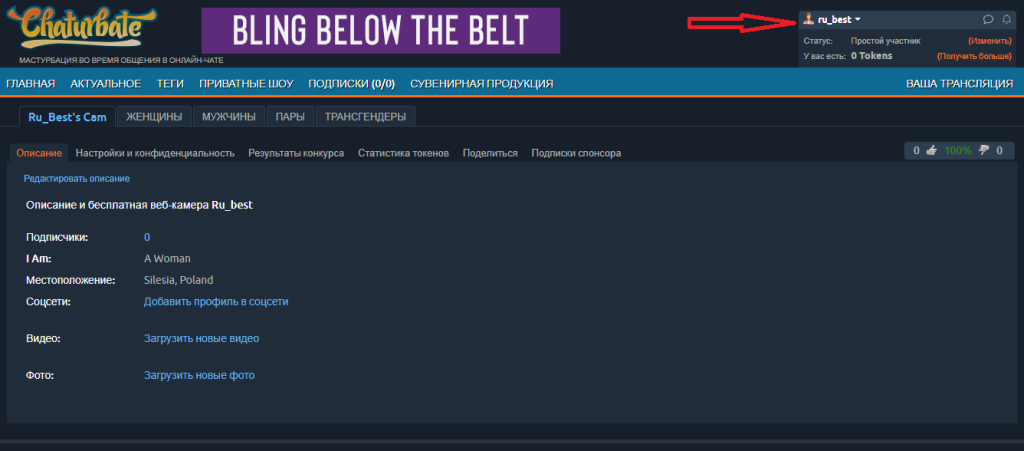
A page will open, like the one in my screenshot above. Here you can add social media profiles with paid viewing on Chaturbate, as well as photo and video albums with paid viewing or by subscription.
Please note that for this the account must already be verified, so if you go to set up your Chaturbate account while verification is in progress, these and other options related to earning will not be available to you. Therefore, we will consider these options later, in a separate post. In the meantime, click “edit description” above our profile description and the chaturbate model profile editing page will open.
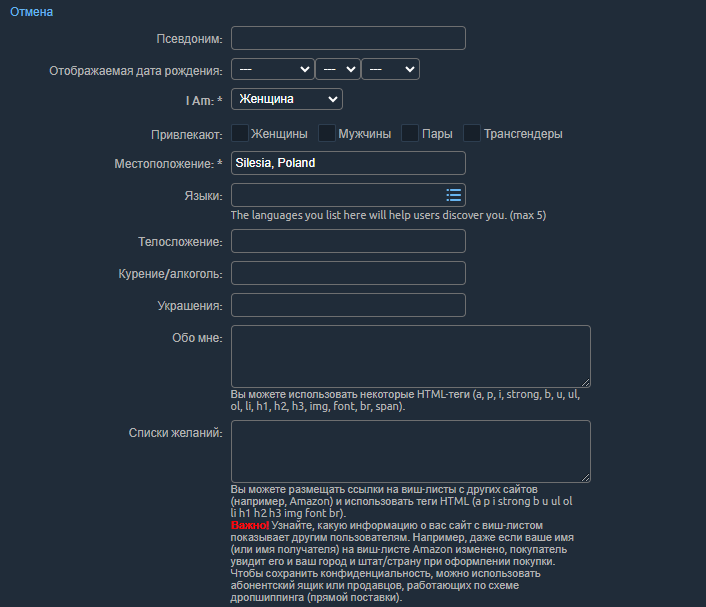
And we begin to fill in what interests us.
As you can see, the date here needs to be the one that will be displayed, not the real one, the real one is only for verification by the Chaturbate administration.
Who attracts us, here I advise you to tick all the boxes to gather more viewers and not offend anyone.
From the list we choose up to 5 languages, English is a must.
The last two fields (about me and wish list) can be left blank for now. On our website you will find instructions on how to create an attractive bio on Chaturbate and How to create an Amazon Wishlist and connect it to your Chaturbate account so that you can receive gifts and the things you need without violating your anonymity.
Save the settings by clicking the orange button below and move on. Now we need to configure our chat room, select “Settings and Privacy” next to “Description”
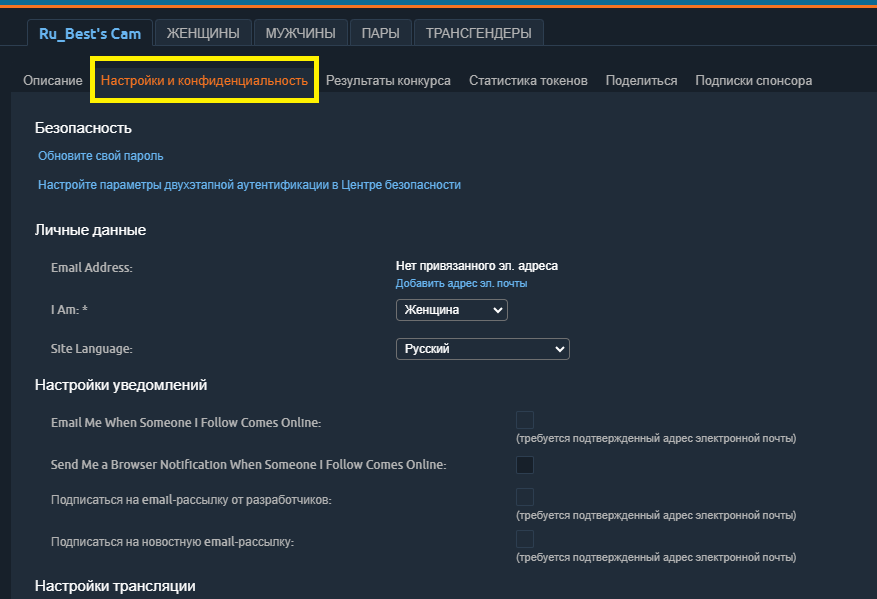
There is nothing interesting here except for two-step authentication, which we will consider in a separate post, so let’s scroll down.
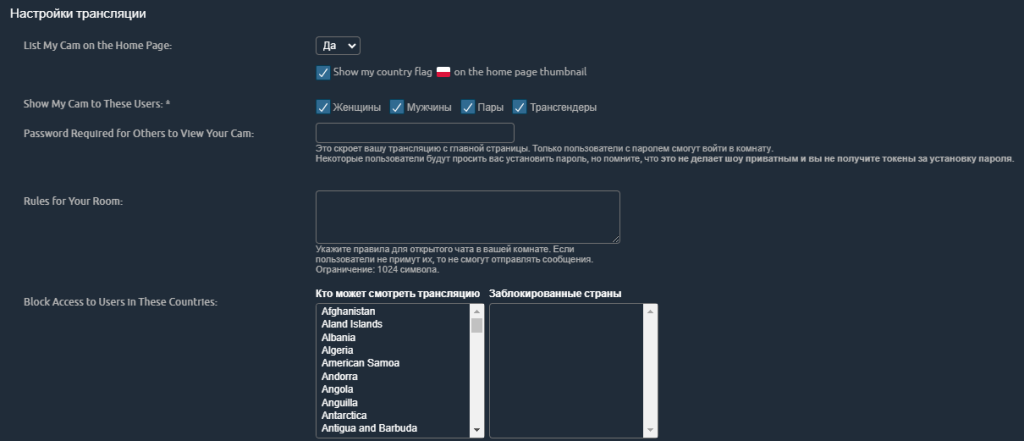
Here we leave everything unchanged, except:
- show the flag of the country that Chaturbate assigned to you, we didn’t notice that it affected anything, so we can safely disable it, especially if you use a VPN, but again, it’s everyone’s choice;
- chat rules with you, if they are present, write them here, usually they are written in the bio when creating
- and most importantly, blocking users by geo, unfortunately it is not ideal, since many people use VPNs to change their geo, however, you can safely choose which countries not to show your chat room to users from, to do this, simply click on the desired country from the list on the left and it will appear in the list on the right.
Let’s go further:
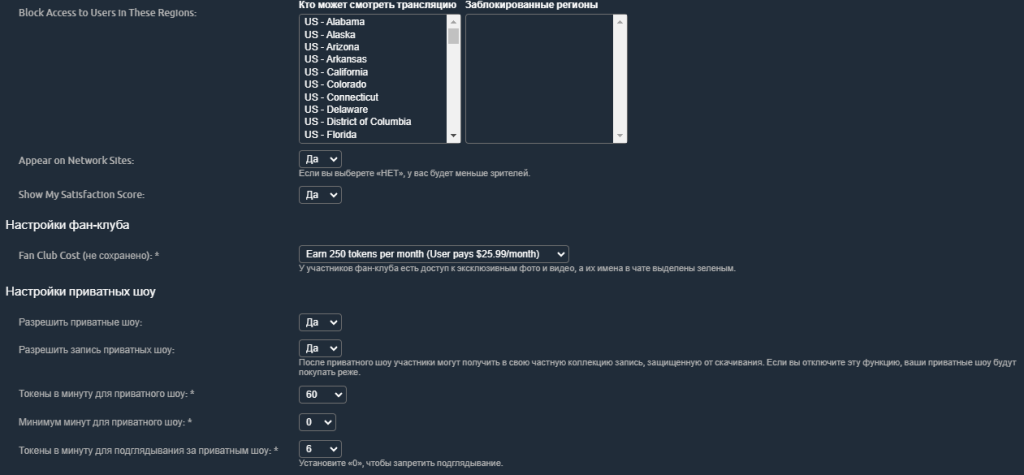
Everything seems to be clear here, the only thing I would like to say is that they should not break prices from the first day of work.